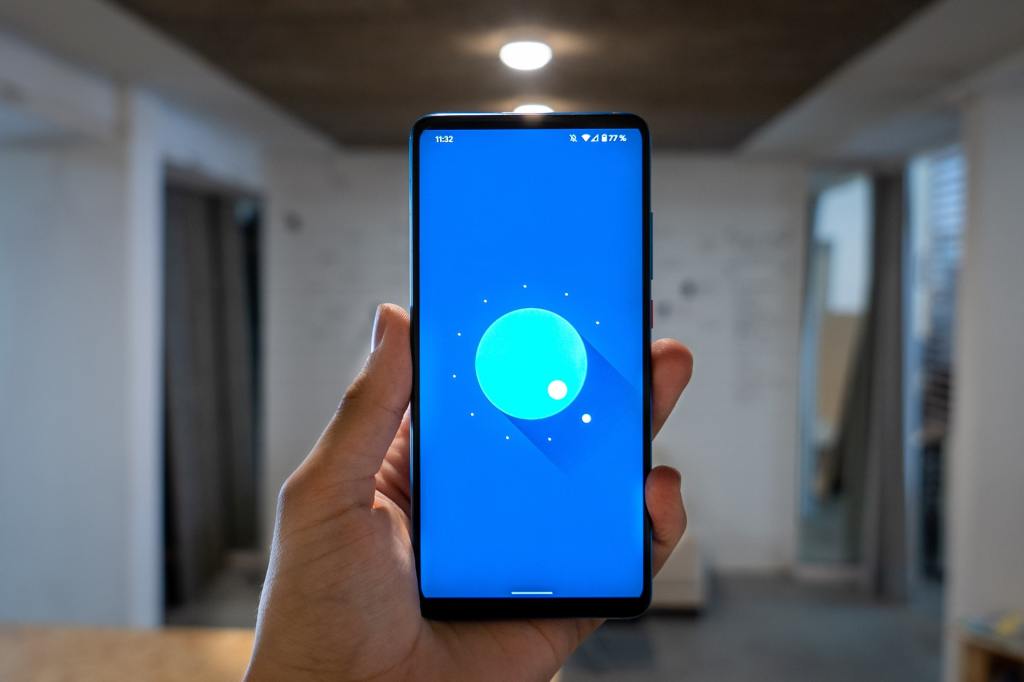
Android 11 Released
Google released the Android 11 beta version in June. Recently, it has also released the updated Android 11 on September 8, 2020. If you own a Pixel phone you could already be enjoying the Android 11 update. In this article, you can find all the new and major updates of Android 11 that you should know. Besides, there are many other minor changes from Android 10.
What’s new in Android 11?
Users can now start experiencing the new features of Android 11. It provides a lot of powerful, capable, and customizable options.
Quick control of smart devices and media
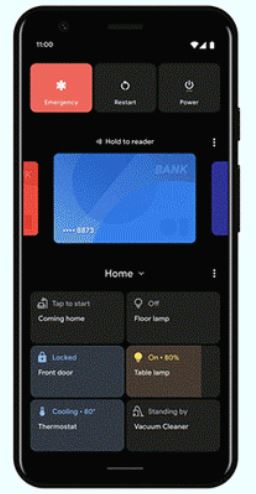
If you use many smart home devices then this update is of great use. Yes! You can now easily control all the home smart devices from one place with a single tap. First, long-press the power button. Now, you can view the new quick control screen. Below the power control, you will spot the Google Pay option. Then, at the bottom, there is a widget containing the list of small devices in your home which you have incorporated. For example, you can check the cameras, switch off the front doorbell from this one control screen.
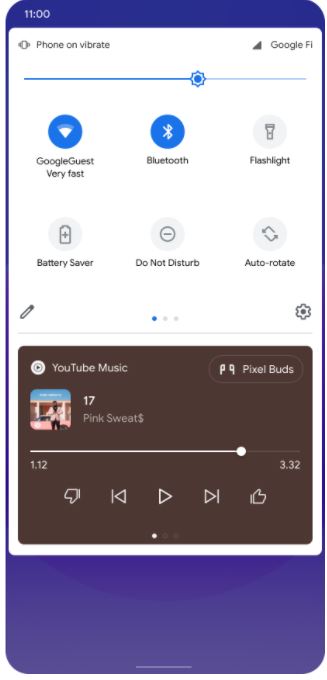
In Android 11, you can also switch quickly between your headset, Bluetooth speaker, or any other gadgets. You can find the media control near the quick settings.
Conversation notifications and Notification history

You can spot the notifications of the conversation as a dedicated space at the top. Here, you can also view all the conversations from text messages, and other chatting apps. You can now also use ‘Bubbles’ to view your conversation. Yes, a floating bubble appears over the viewing app. This helps to check new messages even while using other apps.
Sometimes, many of us don’t care about the notifications. We just swipe away the notifications. But after some time, we might want to check them. So, this is now possible with Android 11. First, turn on the notification history feature. Then, you can find all the notifications received on your phone.
New built-In Screen Recorder
You can find the screen recording icon in the quick settings tile. Apart from recording the screen, you can also choose to show your touch functions, check your microphone to record the audio or not. Thus, with the above features, there is no need of using a separate app for screen recording.
More control over security and Privacy
Google has made this major change so that users can enjoy more privacy. Android 11 gives the option of granting one-time permission to apps. So, you can grant permission for a particular session. Also, if you don’t use the downloaded app for a long time, then it automatically revokes the permission.
Schedule the Dark-theme
Google first introduced Dark-mode in Android 10. Now, in Android 11, you can schedule when to turn-on and turn-off the dark mode. With the dark-mode feature trending, scheduling the dark-mode feature has made it more satisfying. You can make use of two options,
- Turn on from sunset to sunrise
- Turn on at the custom time
Upgraded accessibility
You can also easily control your phone using your voice. Google’s voice access mode now works offline. When compared to Android 10, you can launch an app, or view your photos more quickly. Apart from this, it also has a braille keyboard. Thus, it helps people with disabilities.
These are some of the new and highlighted features available in Android 11.
Phones compatible with Android 11
- Google Pixel 4 / 4 XL
- Google Pixel 4a
- Google Pixel 3 / 3 XL
- Google Pixel 3a / 3a XL
- Google Pixel 2 / 2 XL
- Xiaomi Mi 10 / Mi 10 Pro
- OnePlus 8
- Realme X50 Pro
- Oppo Find X2 and Find X2 Pro
- Xiaomi Mi 10 and Mi 10 Pro
Currently, these are the mobiles that are compatible with Android 11.




 Digiteks
Leave a comment