
Find the best file sharing apps that even share bulk files quickly between the Android devices.
Sharing files is easy using the internet. But the real challenge arises when there is no availability of the internet. Although you can use Bluetooth to transfer the files, it is not the best method to follow while transferring large files. Other than this, Wi-Fi Direct is available but many of us are not aware of it. File sharing apps might be of great use when you want to transfer files from your old mobile to your new one. So, here are the top 5 file sharing apps that you can use to transfer any type of file like PDFs, videos, photos, or documents.
| Apps | Google Play Store Rating |
| Send Anywhere | 4.7 |
| Xender | 4.0 |
| AirDroid | 4.3 |
| Zapya | 4.4 |
| SuperBeam | 4.2 |
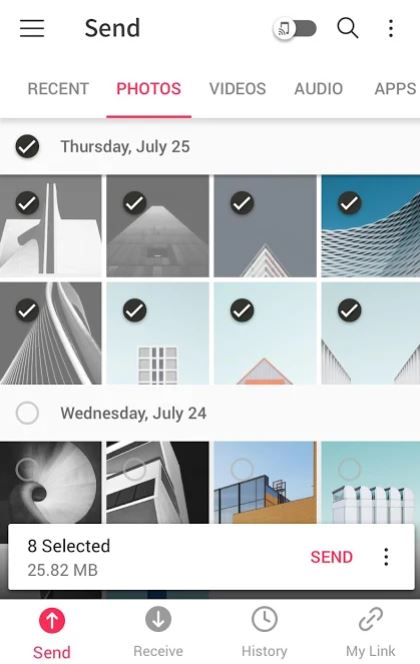
Send Anywhere is one of the most popular file sharing app. Also, you can use this app to transfer files to many people at the same time using a link. 256-bit file encryption makes sure all the data is transferred securely. Before you initiate the transfer you must input a 6-digit key or just scan the QR code. Another advantage of this app is that you can also fix an expiry date to the link which you have created.
Xender is a cross-platform file sharing app that you can use to transfer any type of file quickly. Besides, this app has the fastest sharing speed. When compared with Bluetooth transfer, the transfer speed of this app is 200 times faster. Apart from this, the interface of Xender is user-friendly. While sharing you can simultaneously share the files with four devices. Currently, this application is not available in India. Finally, you can use Xender as a social media downloader and it also supports 32 languages.
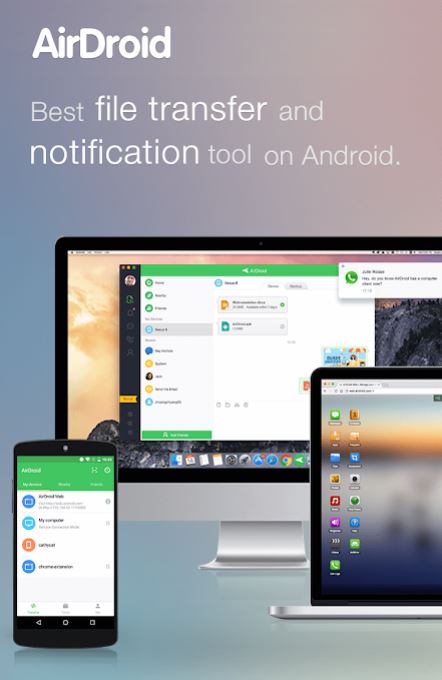
AirDroid is one of the best mobile management and file transfer applications. Using AirDroid you can transfer files from Android to PC quickly. Apart from this, you can also use the screen mirroring option and mirror Android devices to PC wirelessly. You can send, receive, and reply to messages via AirDroid. Besides, you can employ this app as a remote control. It means you can control the activities of the connected device remotely from your mobile.

Zapya is a high-speed file sharing app. Using Zapya you can transfer multiple files of different formats at the same time. Also, it allows connecting to four devices simultaneously. You can share large files or big folders easily just with one tap. Above all, phone replication is available which helps you to transfer all the data from your old mobile to the new phone. You can transfer the files by just shaking your device nearby your friend’s device or create a group or generate your own QR code.
SuperBeam is an app with light, dark, and AMOLED color themes. First, you must pair the devices using NFC or QR code scanning. Then, you can share single or multiple files of different formats quickly. SuperBeam also allows you to track all the transfer operations. However, if you opt for the Pro version of SuperBeam you can send files or folders to more than one device simultaneously. Thus, it is a full-featured and user-friendly application used for file-sharing.
Other than these apps you can also find many other applications used for file transfers. But these are the most efficient, and secure apps that help you to send the data quickly. So you can pick the best file sharing app based on your device’s features and the amount of data to be transferred.




 Digiteks
Leave a comment