Do you know your Windows 10 product key? If you are using a legit version of Windows 10 on your computer then you will have a product key. It is essential to be aware of the importance of the product key. Whenever you install or reinstall or use Windows 10 on another PC you might want to use the product key.
Importance of Windows 10 product key
If you have purchased Windows 10 recently then it is important to activate it. You require a Windows 10 product key to activate it. Once you activate it you will get unrestricted access to the Windows 10 features. So, if you use Windows 10 without activating it you will not be able to use all its features. Further, you will miss all the important latest windows 10 updates.
How to locate windows 10 product key?
- If you are purchasing a new copy of Windows 10 then you will also get a product key with it.
- If you are buying Windows10 through Microsoft Store on your PC, then the product key will be applied to your Microsoft account automatically.
- Suppose if you buy it through an authorized reseller then you can see the product key on a card of the box or a label. Besides, you will get a digital product key. You will find it in the confirmation email after purchasing Windows 10.
It is a good practice to secure the Windows 10 product key. Suppose if you lose it then there are alternate measures to locate the product key.
Steps to find your Windows 10 product key from your PC
There are scenarios where we miss the product key so in such cases, we can use the command prompt.
- First, make sure Windows 10 is activated on your computer.
- Type ‘CMD’ in the search bar.
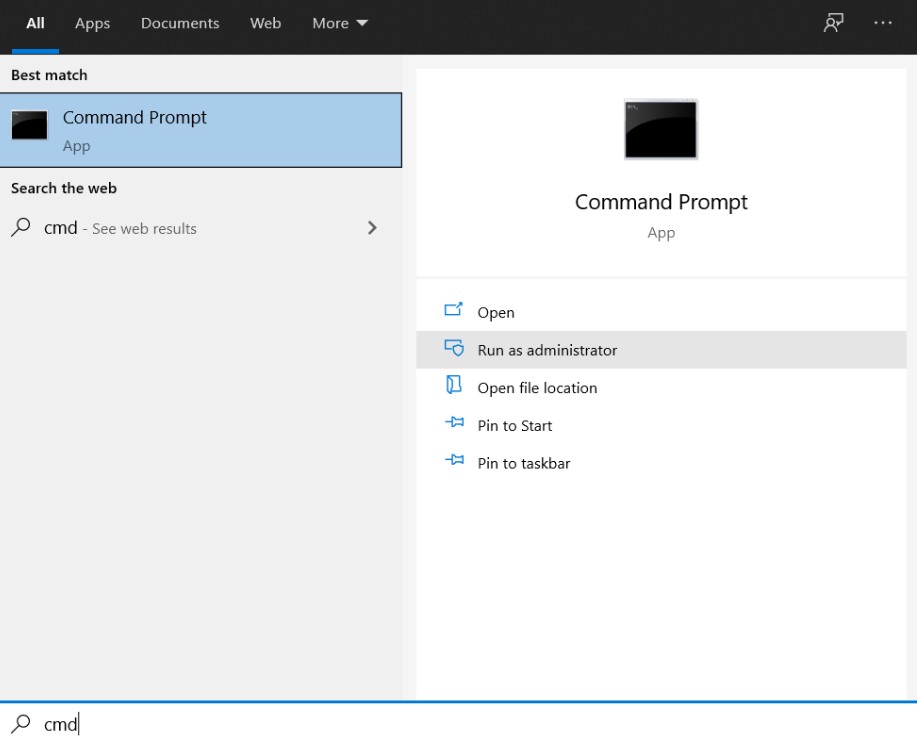
- From the options available choose ‘Run as Administrator’.
- A message box pops up for confirmation. Click ‘Yes’ and this opens the Command Prompt.
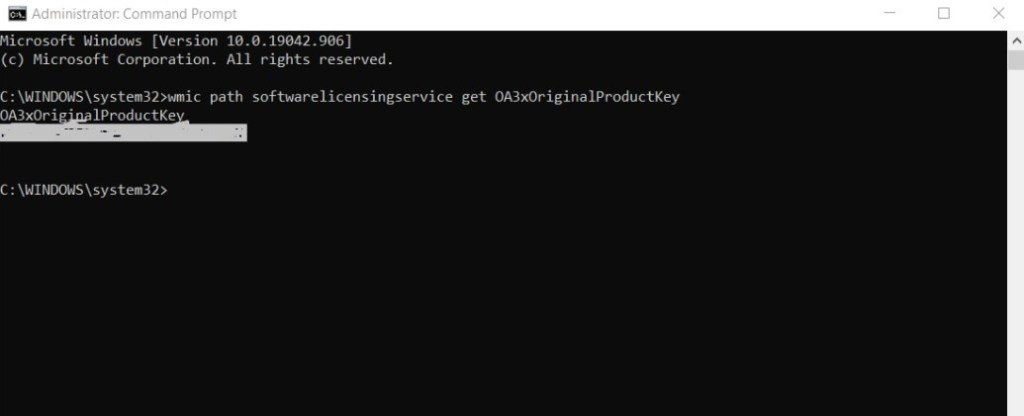
- Type the below command.
“wmic path softwarelicensingservice get A3xOriginalProductKey”

- You can now see your Windows 10 product key.
This is one of the best and easy methods to get your product key from the PC. There are no third-party programs involved in this process. Even if you had lost the physical product key you can use the above steps and get the product key.




 Digiteks
Leave a comment