
Remember the times when Tik Tok took the world with a storm and everybody was talking about it almost everywhere. Well, Instagram reels have quite a similar effect on the world today. Being relatively newer, the reels feature of the app might seem a little complex to users. While TikTok made downloading its videos a bit easier on user’s local devices, downloading Instagram reels is a little tricky. Here is a short guide for Android and iPhone users to download Instagram reels on their devices. Please have a look:
How to download Instagram Reels videos on an Android mobile phone
Android users can download Instagram reels on their phones without any hassle. All you have to do is install another app, which you can find on the Google play store and the rest of the work is just a cakewalk.
Download Video Downloader for Instagram Repost Instagram, install it and set it up.
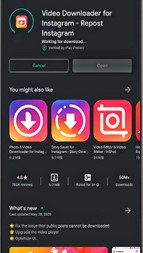
Now go to the Instagram app and open the reel you want to download. Click on the three-dot icon and copy its link
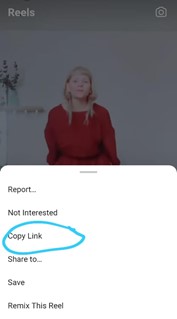
Go back to the installed app and you will find that the link is automatically placed there. It will get downloaded in your phone’s gallery and you will be able to share or edit it.
How to download Instagram Reels videos on iPhone
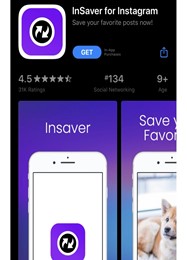
Downloading Instagram reels on an iPhone is a similar process to the download in android. Visit the app store and search for the app-Insaver for Instagram
Install it and set it up. Give the required permissions to use the app.
Once done, go back to Instagram and copy the link of the reel you want to download by clicking on the three-dot icon.
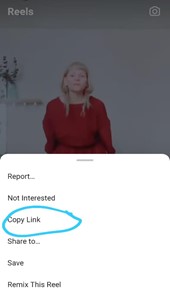
Go to the Installed app again and you’ll find that your copied link is automatically placed here.
Tap the option – “watch it! “, click on “options”- “share” and lastly “save video”. The reels will be downloaded to your device.
How to download Instagram Reels videos with Screen Recording Apps
Sometimes you won’t want to install another app on your phone just to download one reel. It’s understandable! And therefore another way of getting your desired reel on your phone is by screen recording. Here’s how you do it:
For Android
In an Android phone, chances are there will already be a pre-built screen recorder app if your phone’s model is the latest. However, if it’s not the case, you can go to the play store and download any screen recording app. Once done, just open the reel you want to download. Then, start the screen recorder and stop it when the reel gets over. You can edit the screen recorded video of the reel. And then you can save it in your gallery.
For iPhone
To download a reel with the help of screen recording, first, add the screen recording feature to the control centre. Now open the Instagram app, find the reel you want to download. Swipe up to access the control centre and start screen recording. Go back to the reel and start it. Once the reel gets over, stop the screen recording as well. Your video will be saved on the device.
Instagram video download online
If you don’t like any of these processes and want a much convenient method to download just one or two reels, I would suggest you go the online route. Many websites allow free Instagram reels to download in a breath. You can simply go to any such website and paste the link of your Instagram reel. You can download the reel in a matter of a few minutes once you click the “download” button.
Make use of the above-mentioned easy methods to download your favorite reel on your phone and enjoy watching, editing, and sharing it. These methods are the simplest and most commonly used ones by Instagram lovers, we hope you find them useful too.




 Digiteks
Leave a comment