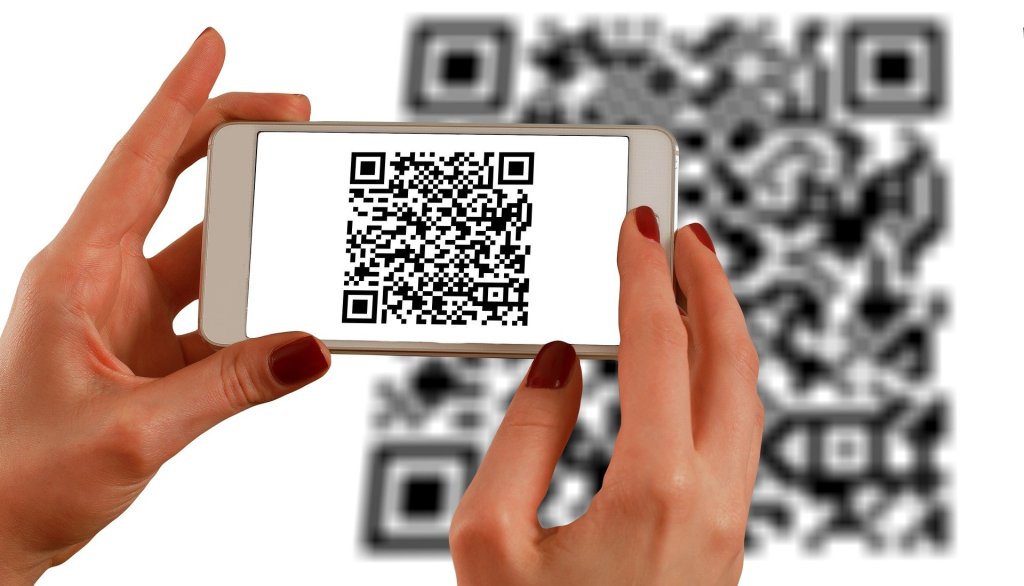
Know more about QR codes and QR code generators.
These days everybody is preferring online available rather than offline whether it is a meeting, a payment, or a book. As per the current atmosphere, nobody wants to be in physical contact. You have seen almost 80% of people making online payments while shopping, accessing web WhatsApp, accessing books sites by scanning QR Code. However, it is helpful in most of the fields after this pandemic. But wait:
What are QR Codes?

Quick Response Codes are two-dimensional versions of barcodes. They can store a wide range of information and details in the square pixels and that pixels are arranged in a square grid. You can easily scan it using your mobile phone. It is very useful as it stores data very securely. Your information inside the QR Code is 100% safe.
QR code procures high data hold capacity, rapid scanning, all-directional readability. It also includes many other benefits including, error modification (so that destroyed code can also be examined successfully) and varied types of versions.
QR Code vs Barcode
The main difference between QR Code and barcode is that QR Code contains small squares in a grid that is scanned horizontally and vertically. Whereas, Barcodes are the vertical lines that are being scanned horizontally.
Types of QR Codes
There are five types of QR codes:
1. QR Code Model 1 and Model

2. SQRC

3. IQR Code
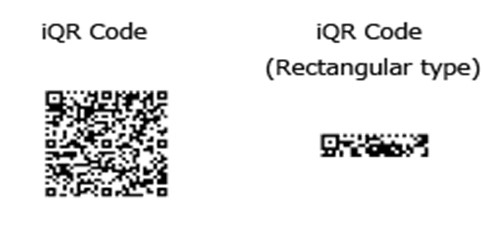
4. Micro QR Code

How Does QR Code Work?
The QR code consists of squares that consist of small information in them and tiny squares combined to form a QR Code. You can capture the QR code easily by imaging devices, including a camera or smartphone, then processed digitally to read the content digitally or in simple language:
QR Code scanning apps or mobile phones scan the code that converts the data of QR into a human-readable form or in alphabetical/numeric patterns as the information stored inside QR is in computer language or binary language.
Tools to create QR Code
There are several Best QR Code Generators that are easy to use. That is:
1. QR-Code Generator
This QR code generator software can be trusted to improve the prosperity of your QR code campaigns. The free version allows you to generate several types of codes including a vCard, email QR code, text QR code, and much more. The premium features give you even more functionality.
You can also share and invite the employees to this tool.
2. QR-Code Monkey
This QR-Code Monkey is a free QR code generator having created codes using this tool. The features include unlimited scans, high-res QR codes, powerful design, QR code generator with logo, custom design, and colors, and it is free for use in commercial purposes. In QR-Code Monkey You can also dynamically edit and change codes at any time, scanning techniques to get business insight.
3. Google QR-Code Generator
This Google QR-Code Generator was recently added to chrome as a new feature. It can easily generate a QR-Code of a webpage with just one click, free for everyone, easy customization of color and size. You can easily scan, analyze, decode and read the QR code.
It boosts the speed of work while creating QR code generators online and works offline too.
4. Dynamic QR-Code
This Dynamic QR-Code has a modifiable nature that a Short URL is inserted into the QR-code which then transparently redirects the user to the final destination. In Dynamic QR-Code The destination can be changed as per your choice. This will reclaim reprinting costs, exertion and enable you to react to any modifications in the campaign as rapidly as possible.
5. QR Barcode Generator
This QR Barcode Generator helps you to generate a two-dimensional version of a barcode. It allows you to include a barcode with the mix and match of a QR code. Barcodes provide support & security hunt, stealing deterrence, stability of mind, and a demonstrable decrease in loss/liability.
How to make a QR Code?
Follow these steps to Make QR-Code :
- Choose a QR-Code Generator
- Select the content that you want to promote.
- A form appears. Fill in the details on that form.
- First, create a dynamic QR code. Download it.
- Test the QR-Code by scanning it from other devices.
- Share and distribute your QR code or else stick at a permanent place for the ease of scanning.
Where to Use QR Code
The uses of QR codes are:
- Business Card
You can create a QR inserting the information related to your details and business details such as name, contact, email address, etc.
- Print Advertisements
You can create a QR code comprising the details about your sales and special features that can be visible to the scanner of code. It can also be used in magazines.
- Customer Care
You can create a QR for the customer care numbers that will ease the issues of the citizens or people as it provides important contacts of helplines and customer cares.
- Events
You can create a QR for promoting your travel and tourist agency which will give the information about packages and plans of your agency.
You can create a QR code consisting of your bank details and your number that allows direct transactions between two different accounts. If you are cashless then go to the online payment mode.
- Book Publisher
You can print your QR on your book’s last page so that the buyer can scan the QR and search for more books from your collection.
- Tracking Information
You can easily track the information about productivity in a supply chain. If something goes wrong you can track him/her through QR codes.
Conclusion
Each of the information above mentioned will help you to have a basic knowledge about QR-Codes. I wish you will be completely satisfied with the QR- Code generator online and will get ease with your work.
I hope you will find our content useful and practical for your business. Do try to create one of the Best QR-Code Generators with the above-given tools. Share your experience after creating a QR-Code. If you liked our article do share it with your friend. Enjoy making QR-Code and exploring new things.




 Digiteks
Leave a comment