
PDF editors allow you to edit the text, images, or any part of the document easily as you edit the normal text files. PDF documents are used widely in several fields. From schools, colleges, corporate companies, government offices, hospitals, and so on. So, there is a need to edit these documents. With the best PDF editor, there is no need to convert the document format.
Are you looking out for a PDF editor? Worried about its features, how to use the PDF editor? Just read through to get an idea about the best PDF editors that are available.
Adobe Acrobat Pro DC tops the list of the best PDF editors. It is an Adobe product and is available on both Windows and MacOS. Using the adobe PDF editor, you can convert PDF files into multiple HTML pages, or Word, PowerPoint, Excel, and documents. Besides, you can instantly convert and saves the scanned documents to PDFs. And you can also secure it with password protection. You can edit the diagrams, images, or the pdf text without much difficulty. The only issue is it’s not so well-organized interface.
Nitro pdf editor has the fastest conversion speeds and you can also make use of the ‘sign on the go’ option. It allows you to fill, edit, and sign pdf files. You can add, modify, delete text or images in the pdf file. After working on the pdf files, you can also share it via the cloud. Other than editing, you can use this software to verify digital signatures. Another remarkable feature is the ability to work on multiple windows simultaneously. The OCR technology allows editing scanned documents.
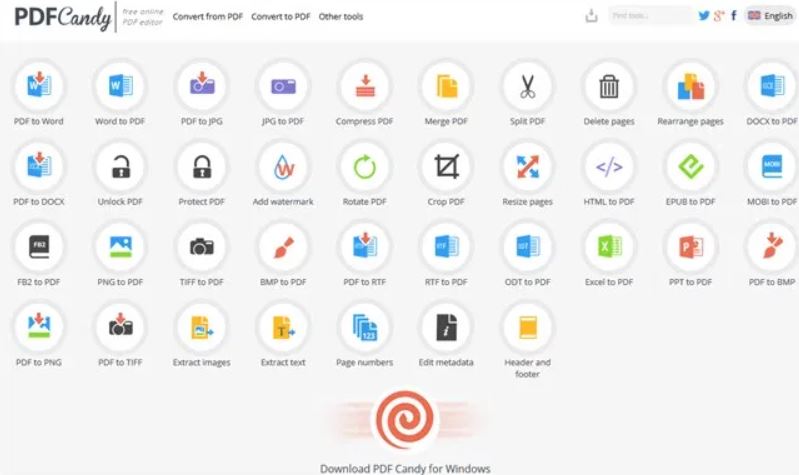
It is one of the best and free pdf editors for Windows. Even though it is free, it provides the OCR feature. This option is not available in many free pdfs editing software. You can use any of the 44 tools that are available to convert or create the pdf files. It is compatible with Chrome, Edge, Firefox, Opera, Safari. Besides, there are many other options like adding watermarks, use passcodes to protect files, merge or split documents, and extract images.
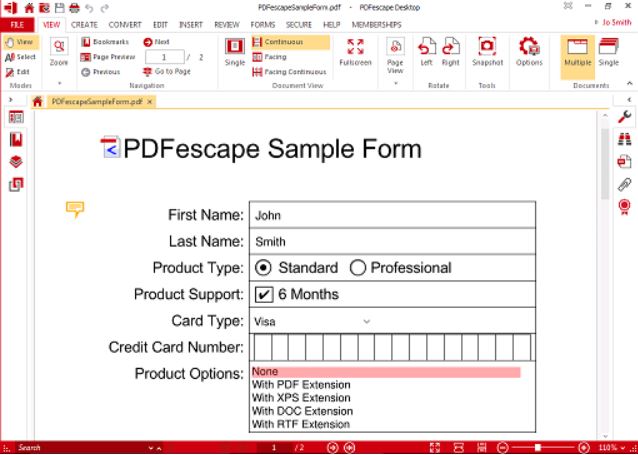
PDFescape is the best software to edit small PDF documents. You can edit it online or make use of the desktop version. The PDFescape online version is free to use. While you can scan paper documents in the desktop version. Above all, PDFescape’s annotation tools are the best to use. You can insert, strike-through text or highlight it, add page numbers, and add watermark. It also allows you to compress the pdf file sizes.

Foxit PDF editor fast and secure pdf solutions. It helps you to create better documents and also manage them after publishing. You can add header, footer, sort pages, and export pdfs. This editing software is available in three versions standard, business, and Mac. PhantomPDF helps to collaborate easily with the team providing more flexibility. Before purchasing Foxit PhantomPDF users can enjoy a 14-day free trail.
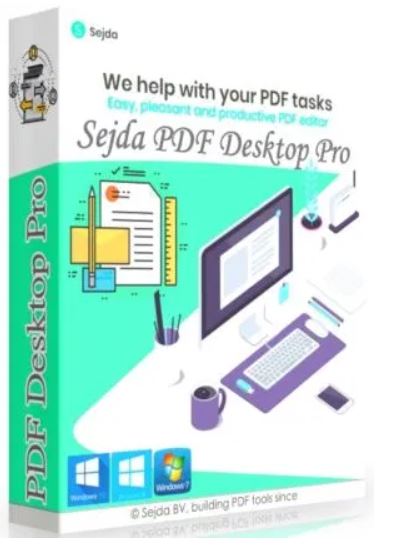
Sejda PDF editor is a free online pdf editor. It has a user-friendly interface which makes it easy to find all the editing options. It might include inserting text, images, links, and signatures to PDF files. Even though it is an online editor, the files remain safe and are deleted after a few hours. One of the drawbacks is that Sejda has no OCR engine. So, you cannot edit pdf files from scanned documents. Also, there are some limitations to file size limits.
Nowadays, there are many other pdf editor software other than Adobe Acrobat. You can make use of these free pdf editor online and quickly convert PDF to word. Else, you can also edit on pdf files without converting them. You must pick the correct pdf editor depending on the size of the file you need to work with. If you need to perform only basic editing then a simple free online pdf editor can complete the task.




 Digiteks
Leave a reply to Have you tried any of these 5 best Digital Signature Software – Digiteks Cancel reply